Hiring Assistant, LinkedIn’s first AI agent
Hiring managers without a recruiting background struggle to write job posts, find candidates and judge applicants. Hiring Assistant does that groundwork inside LinkedIn Recruiter. When a closed beta showed managers didn’t yet trust it, we rebuilt it around review and visible reasoning.
- Role
- Lead designer, and the only designer working across desktop and mobile
- Worked with
- Product, engineering and data science
- Timeline
- 9 months
- I owned
- Strategy, research, prototyping, UI, executive reviews and final QA
- Outcome
- 57% adoption among target users and LinkedIn’s Company Innovation Award
Decision 01
Start with three capabilities
- Situation
- Early workshops produced dozens of ideas for reworking the hiring journey with AI. Most of them were unproven.
- Choice
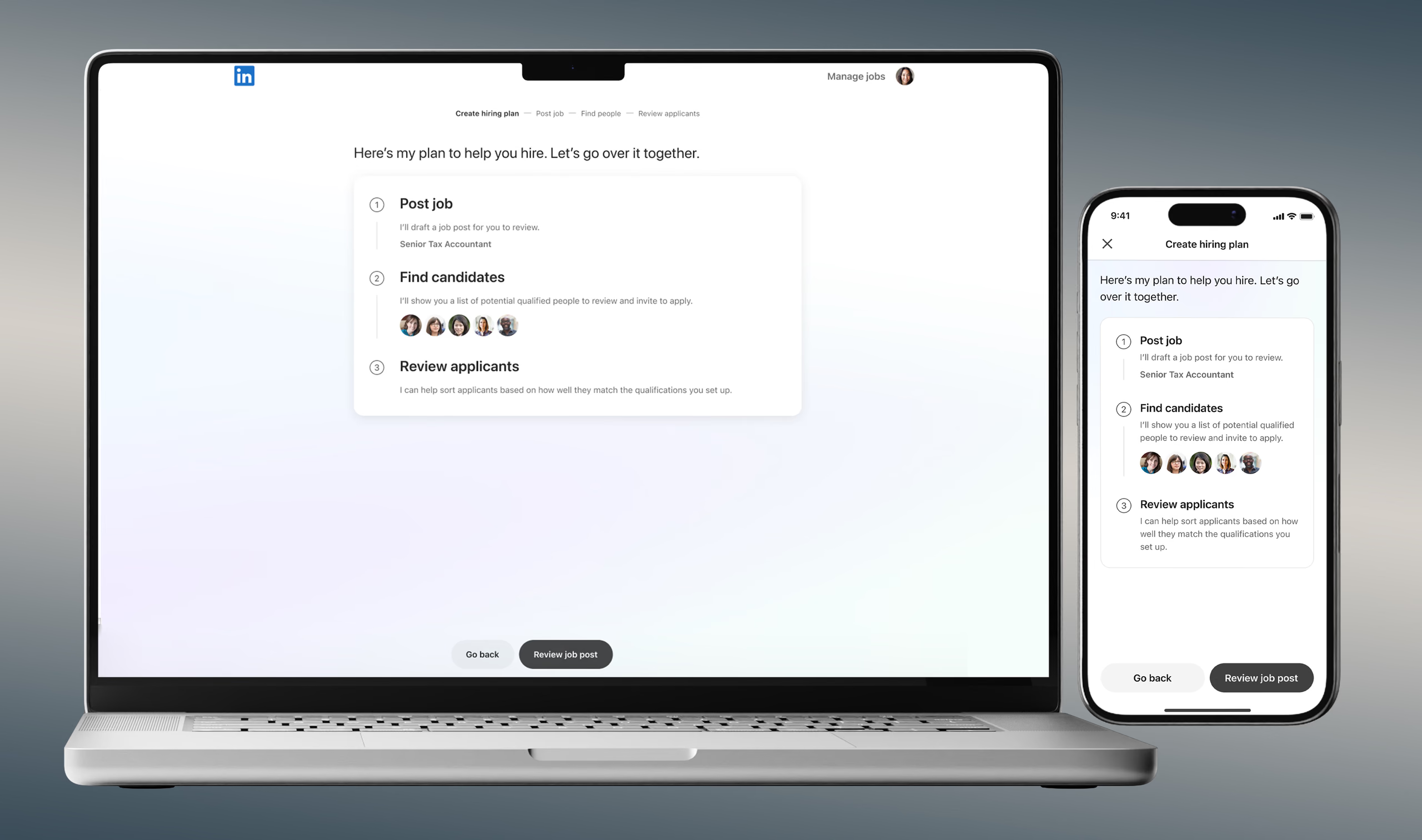
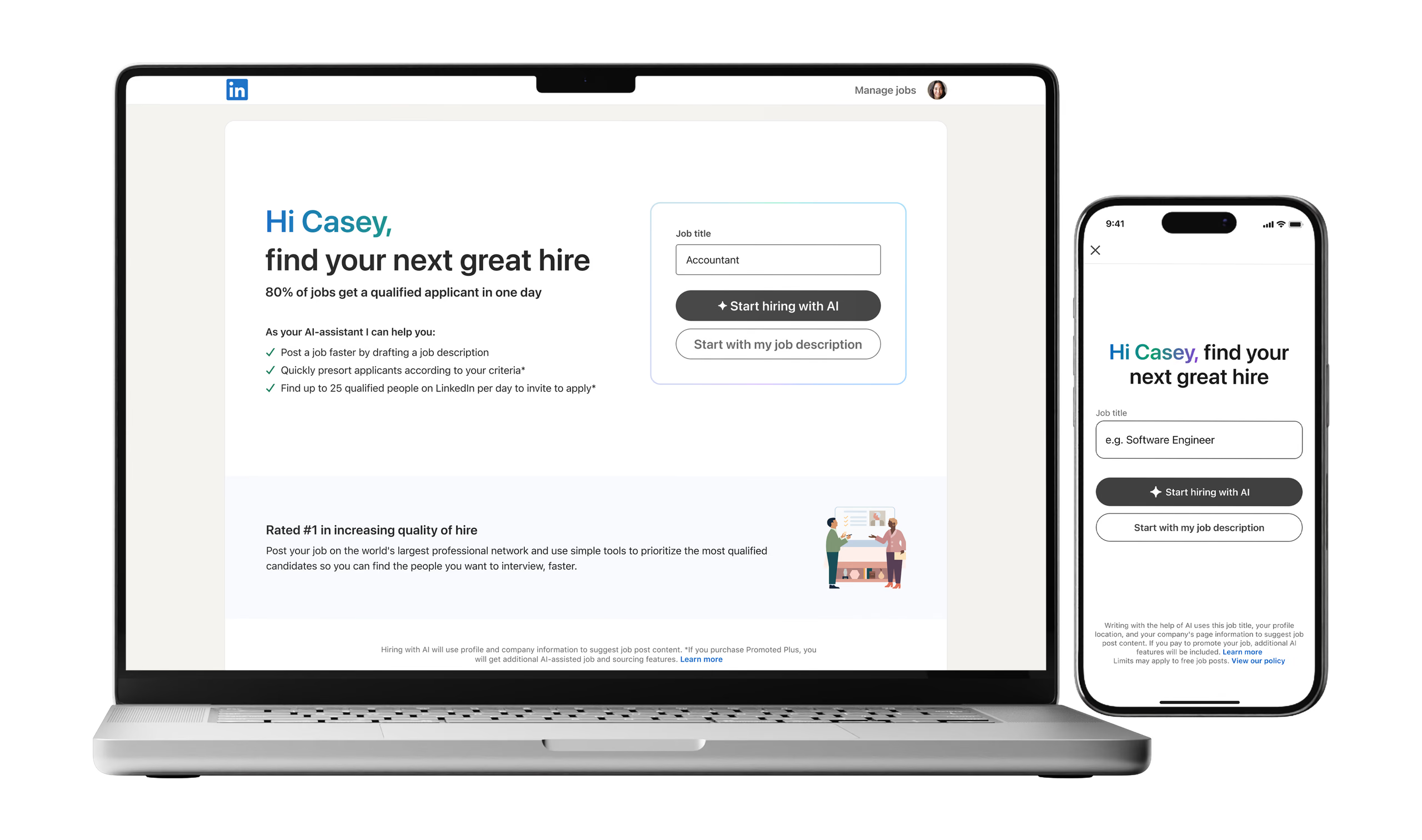
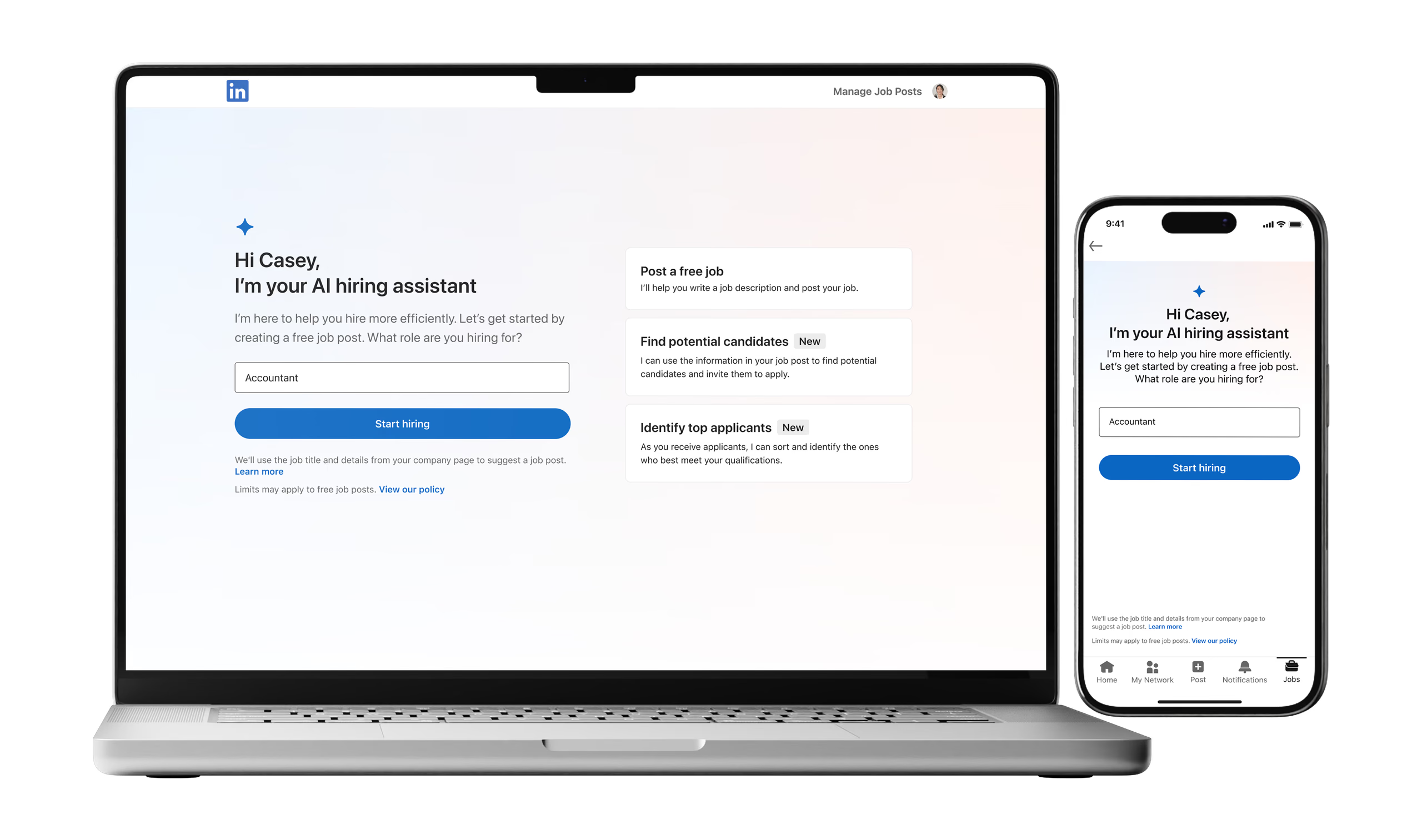
- I pushed for a narrow first release: AI-drafted job posts that managers edit before publishing, sourcing that invites qualified candidates to apply, and ranked screening where managers save or reject in one click.
- Why
- It let us see whether managers would change how they hire before we invested in larger workflows.
Decision 02
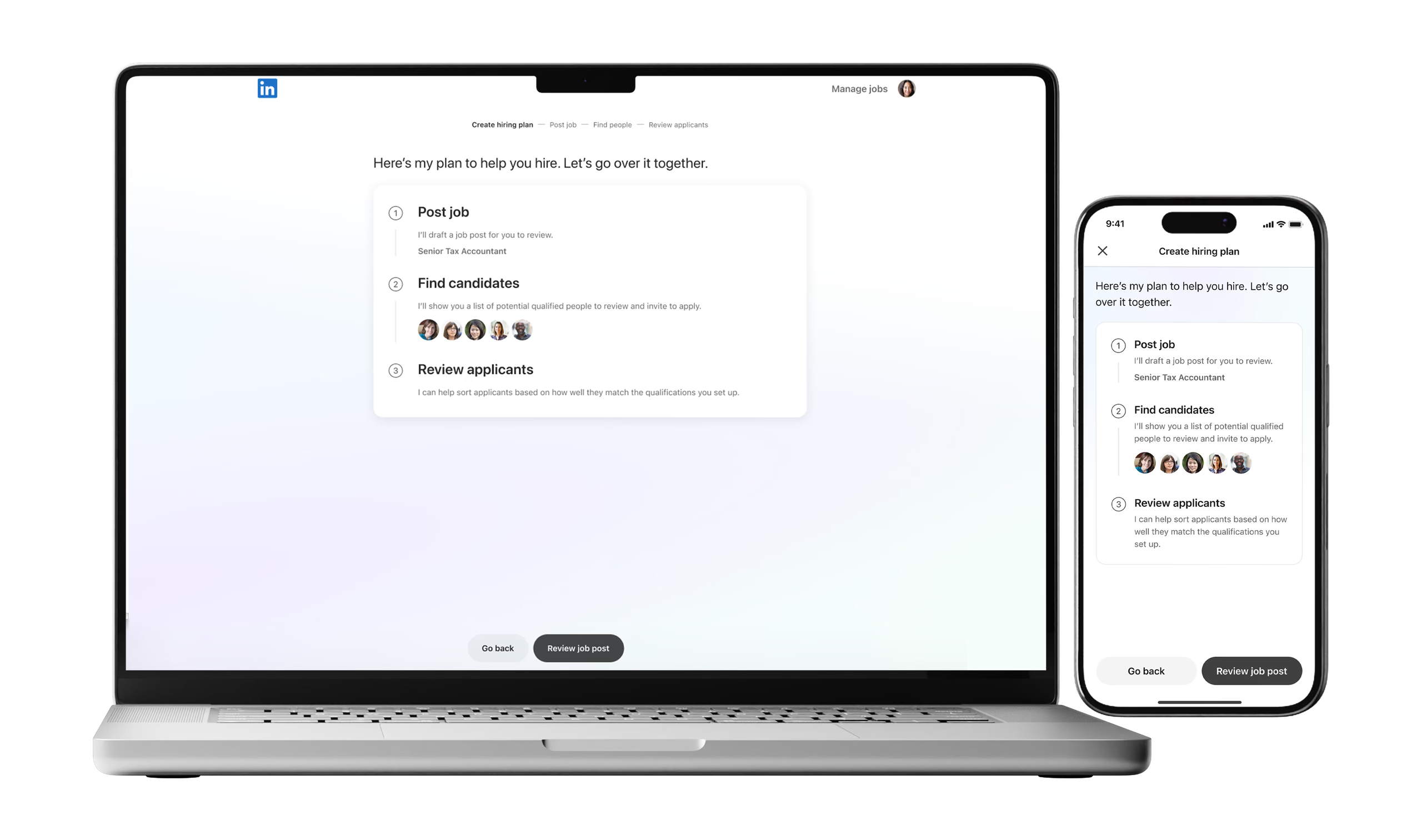
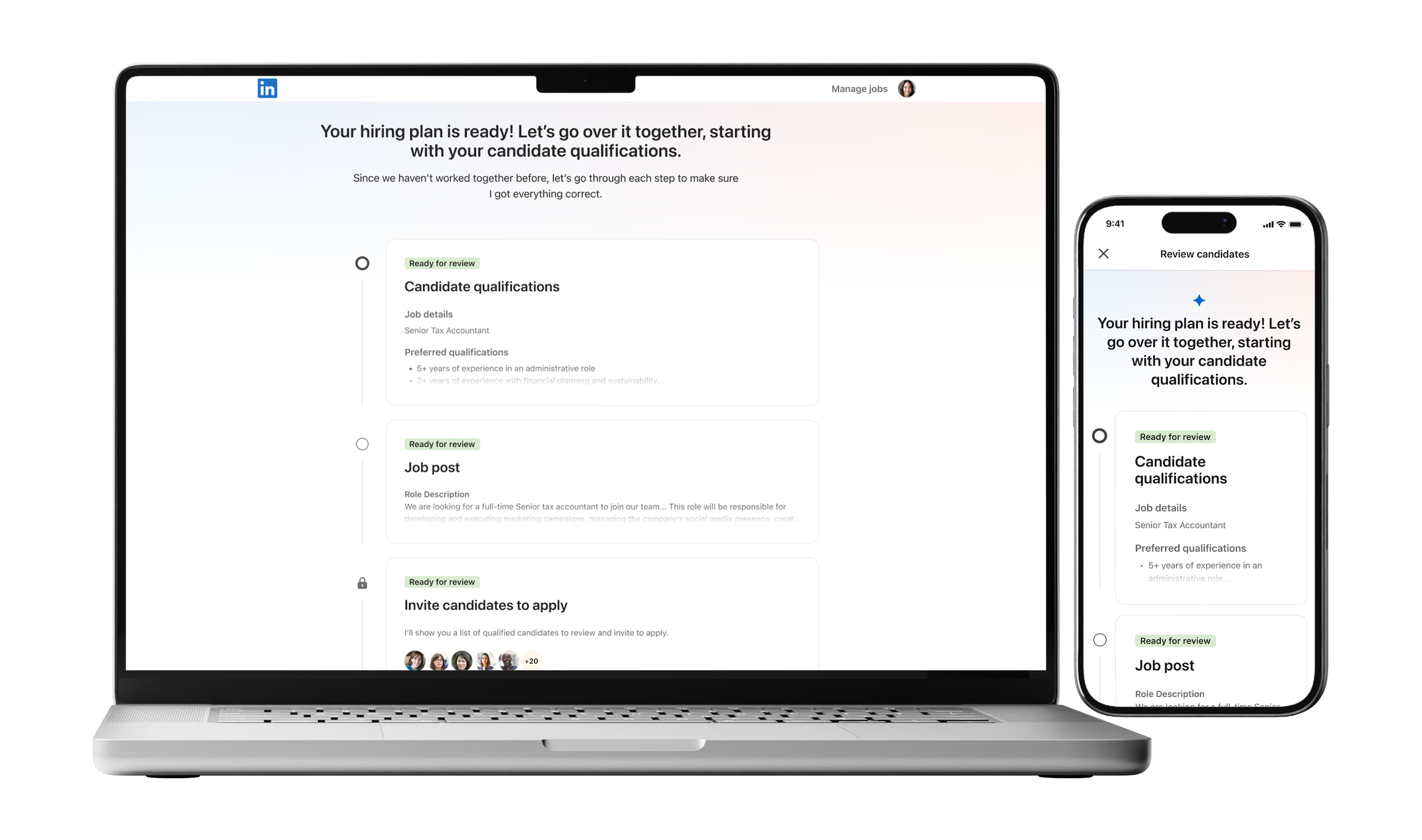
Replace one-click publishing with a guided review
- Situation
- In our Friends & Family closed beta, managers weren’t sure how accurate the AI was. They wanted more control and an easier way to review before anything was published.
- Choice
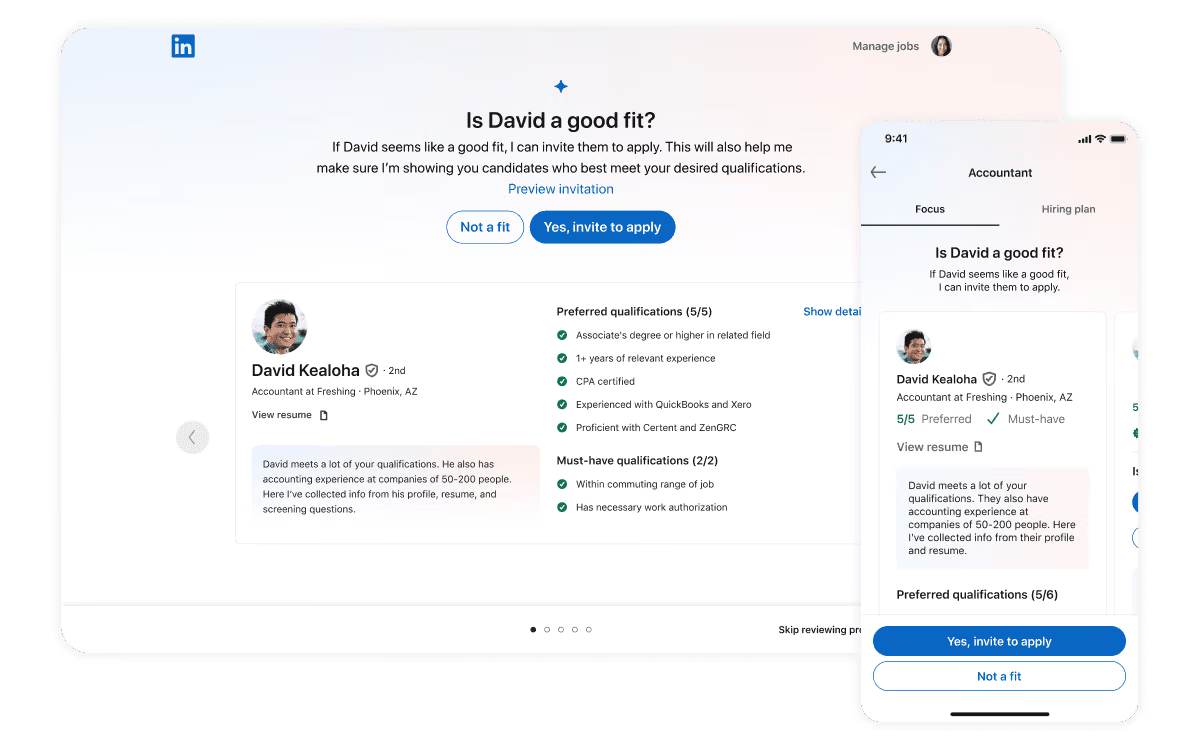
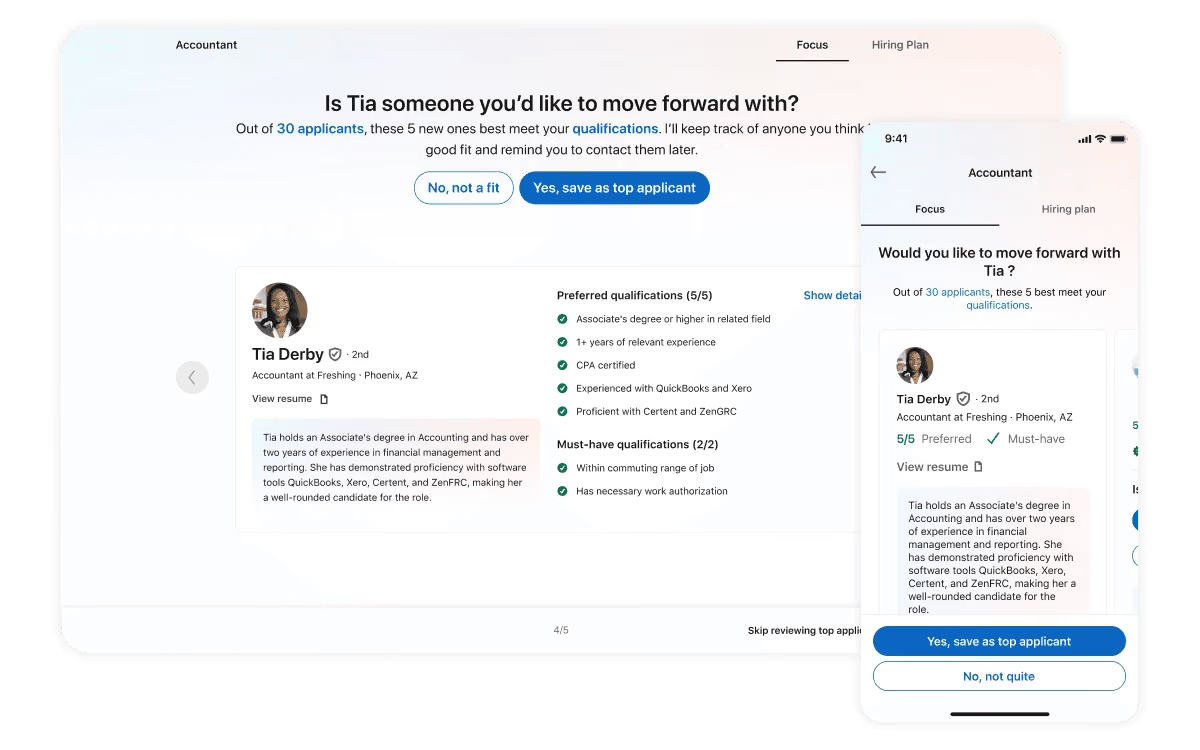
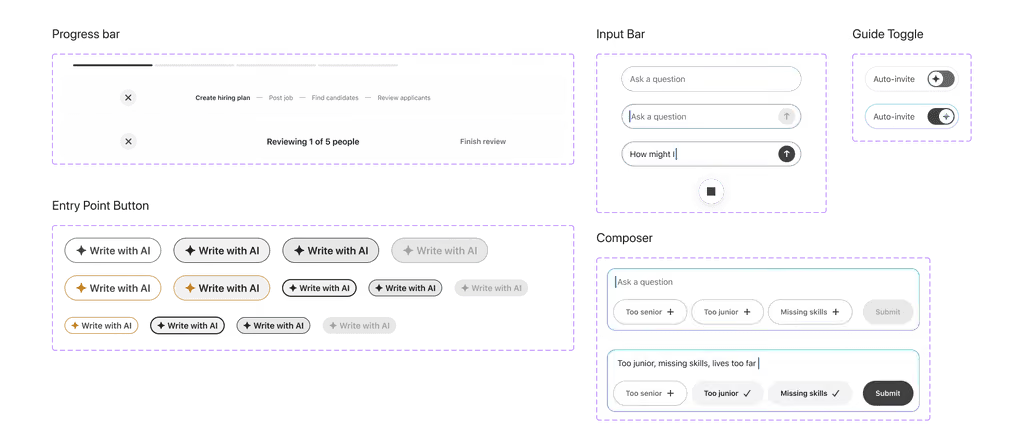
- A guided review. The assistant lays out its plan (post the job, find people, review applicants) and the manager goes through each part before it goes live.
- Why
- Managers felt more in control and less anxious about what the AI produced. We moved from automation first to collaboration first.
Decision 03
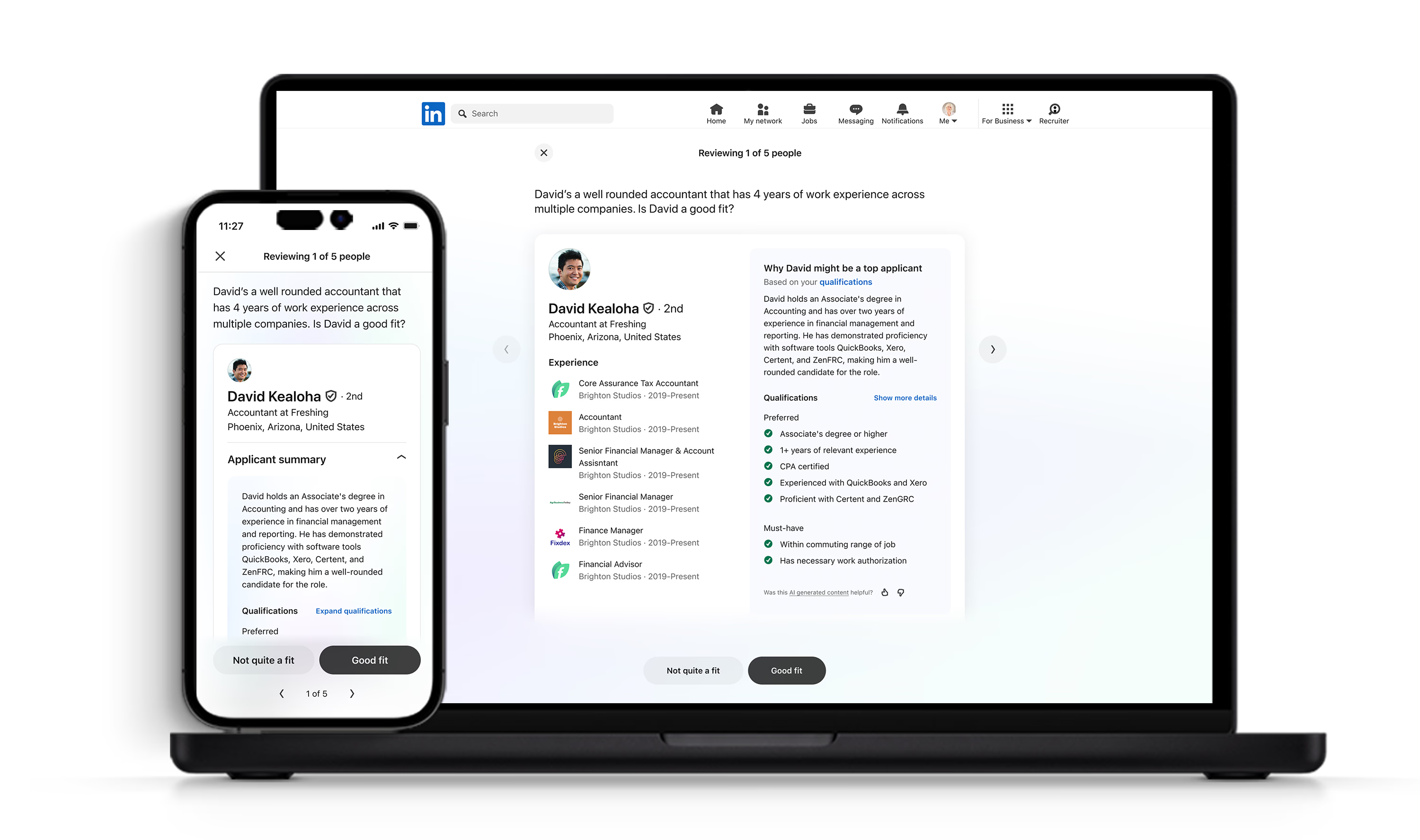
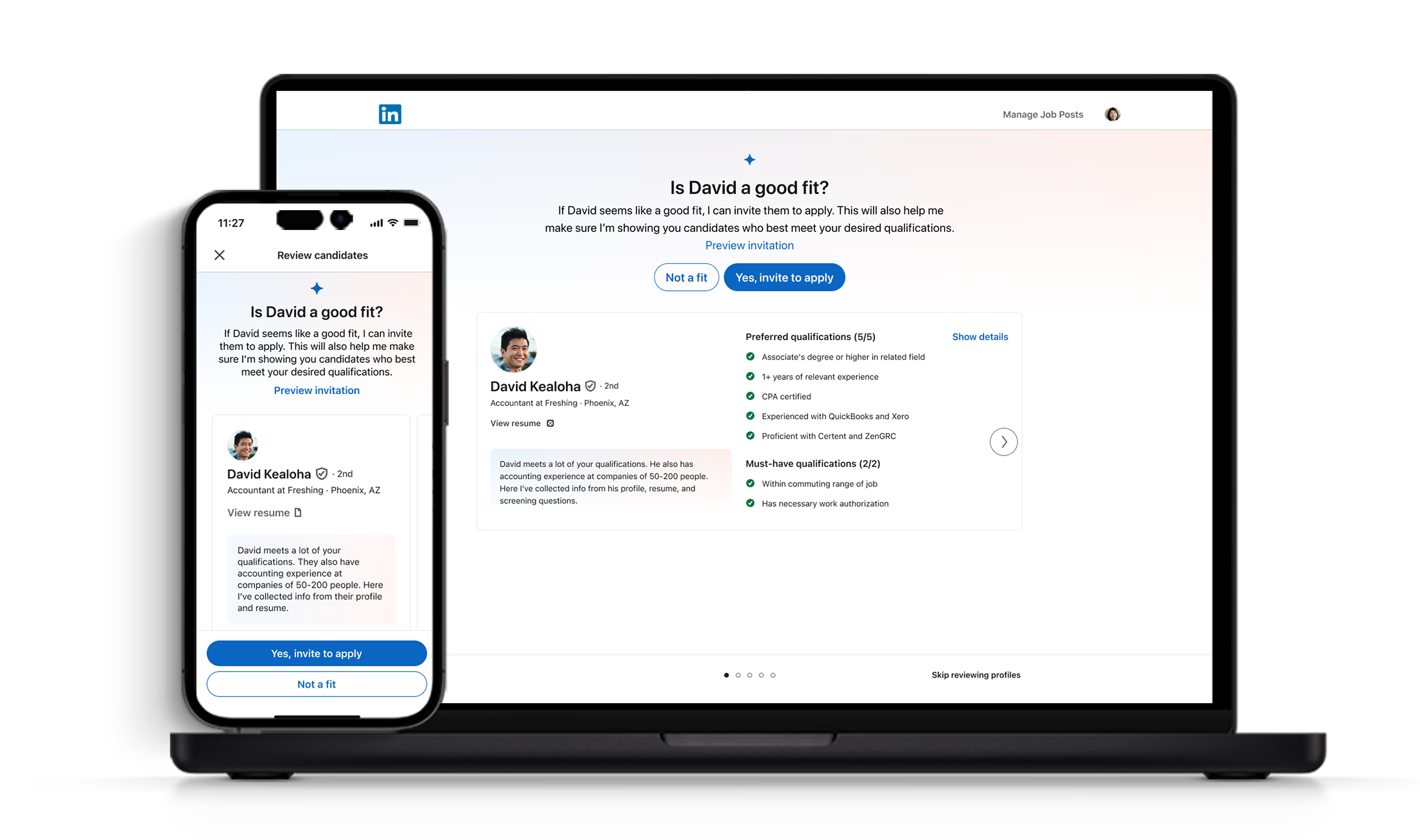
Explain every match
- Situation
- Rankings arrived without explanation, so managers had no way to check them against their own judgment.
- Choice
- “Why this candidate?” modules that show how each person’s qualifications line up with the role’s criteria.
- Result
- After launch, this was one of the features that helped managers trust the assistant.
Decision 04
Fix “Top Match” in the model, not the label
- Situation
- Nearly 80% of applicants were labeled Top Match, so the label told managers very little and they trusted it less.
- Choice
- I worked with data science to change the weighting logic, favoring quality over volume and cutting false positives in the Top Match group.
- Why
- It was a data problem more than a UI one. A new visual treatment would have left the signal just as weak.
Decision 05
Share patterns across LinkedIn’s AI agents
- Situation
- Other teams were building agentic products at the same time, each on its own.
- Choice
- We consolidated into one agentic design system. I helped define reusable AI behavior patterns and aligned the components with LinkedIn’s main design system.
- Why
- Less fragmentation later, as more agents shipped across the company.
Results
57%
adoption among target users
6%
lift in job-posting revenue, quarter over quarter
Innovation Award
LinkedIn Company Innovation Award winner
What I learned
- 1
Trust in AI builds slowly.
“Why this candidate?” helped, but the time saved was what managers valued most: better matches, sooner.
- 2
Cross-platform work is hard to coordinate.
Engineering and product didn’t always move in sync, and features shipped at different speeds and fidelities. As the one designer across platforms, keeping them aligned was a large part of my job.
- 3
Shipping on time meant cutting good ideas.
To launch on schedule and stay in step with the rest of the product, we left some of our more ambitious ideas for later.
Hiring Assistant changed how I approach AI features. I design them to give people better inputs for their own judgment, and I’ve worked that way on every AI feature since.